मुफ्त उन्नत पायथन वैदिक ज्योतिष पुस्तकालय और API
VedAstro Python लाइब्रेरी आपको विश्व के सबसे विस्तृत वैदिक ज्योतिष इंजन तक तत्काल पहुँच प्रदान करती है — ग्रहों की स्थिति, विभागीय चार्ट, दशा अवधि, संगति रिपोर्ट, और AI-संचालित विशेषताएँ, सभी एक ही pip install से।

चाहे आप एक कुंडली ऐप, एक मैचमेकिंग प्लेटफॉर्म, या एक शोध उपकरण बना रहे हों, वेदएस्ट्रो की पायथन लाइब्रेरी आपके और पेशेवर-ग्रेड वैदिक ज्योतिष गणनाओं के बीच हर बाधा को दूर करती है। कोई जटिल सेटअप नहीं। कोई स्थानीय बायनेरिज़ नहीं। आरंभ करने के लिए किसी ज्योतिष विशेषज्ञता की आवश्यकता नहीं है। बस लाइब्रेरी इंस्टॉल करें, अपनी एपीआई कुंजी सेट करें, और कंप्यूटिंग शुरू करें - भारी भारोत्तोलन VedAstro के क्लाउड इंजन पर चलता है।
आपको क्या मिल रहा है
684
गणना - किसी भी ज्योतिष प्रोग्रामिंग पुस्तकालय में सबसे बड़ा संग्रह
47
अयनांश प्रणालियां - लाहिड़ी, रमन, केपी, फगन-ब्रैडली और 43 अन्य
डी1-डी60
मंडल चार्ट - पूर्ण पराशरी वर्ग प्रणाली कवरेज
एआई-संचालित
जन्म समय ऑटो-फिल और प्राकृतिक भाषा कुंडली खोज
शून्य डिप्स
सब कुछ क्लाउड में चलता है - आपका ऐप हल्का रहता है
खुला स्रोत
एमआईटी लाइसेंस प्राप्त, समुदाय बनाए रखा, GitHub पर पूरी तरह से ऑडिट योग्य
डिजाइन द्वारा सरल
VedAstro पायथन लाइब्रेरी VedAstro REST API के चारों ओर एक पतला, सुरुचिपूर्ण आवरण है। आप पायथन लिखते हैं; क्लाउड गणना करता है।
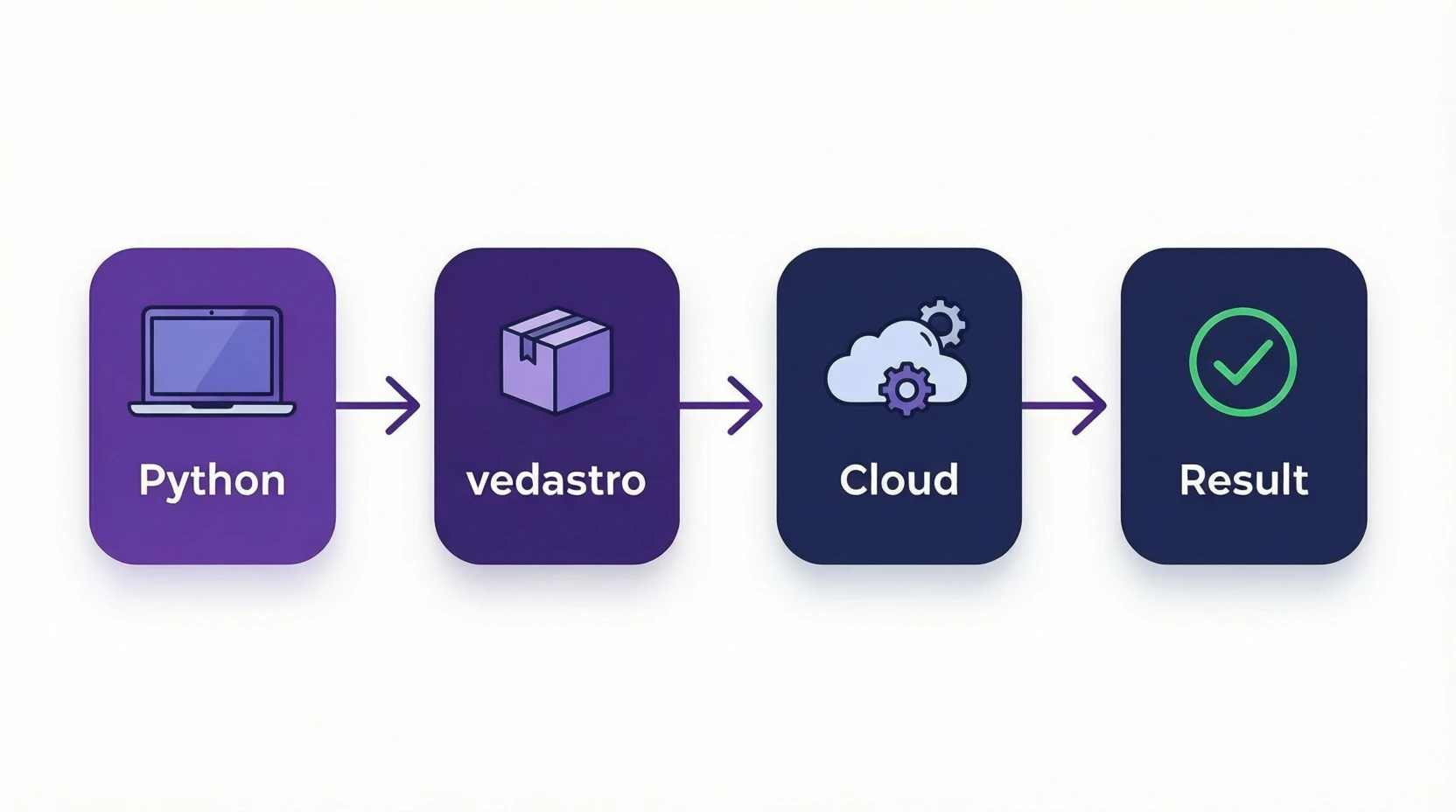
कोई भारी स्थापना नहीं
पुस्तकालय अपने आप में छोटा है - सब कुछ सर्वर-साइड चलाता है
हमेशा अप टू डेट
गणना सुधार स्वचालित रूप से सर्वर पर रोल आउट हो जाते हैं
आपके साथ तराजू
व्यक्तिगत परियोजनाओं से लेकर उत्पादन ऐप्स तक, एक ही कोड काम करता है
30 सेकंड में ऊपर और चल रहा है
PyPI से लाइब्रेरी इंस्टॉल करें

pip install vedastroबस। डाउनलोड करने के लिए कोई डीएलएल नहीं, कोई सी एक्सटेंशन नहीं, कोई पंचांग फ़ाइलें नहीं।
684 गणनाओं को अनलॉक करने के लिए तैयार?
केवल $1/माह के लिए असीमित पहुंच प्राप्त करें - कोई दर सीमा नहीं, सभी सुविधाएँ शामिल हैं
तत्काल सक्रियण • किसी भी समय रद्द करें • 99.9% अपटाइम गारंटी
इसे कार्रवाई में देखें
तीन पंक्तियों में किसी भी जन्म कुंडली के लिए एक पूर्ण ग्रहीय डेटासेट प्राप्त करें:
from vedastro import *

Calculate.SetAPIKey('your-api-key')

geo = GeoLocation("Tokyo, Japan", 139.83, 35.65)
birth_time = Time(hour=23, minute=40, day=31, month=12, year=2010, offset="+08:00", geolocation=geo)

result = Calculate.AllPlanetData(PlanetName.Sun, birth_time)
Tools.Print(result)
दो कुंडली के बीच पूर्ण कुटा-आधारित संगतता विश्लेषण:
from vedastro import *

Calculate.SetAPIKey('your-api-key')

romeo = Time("23:40 31/12/1996 +08:00", GeoLocation("Tokyo, Japan", 139.83, 35.65))
juliet = Time("14:30 15/06/1997 -05:00", GeoLocation("New York, USA", -74.006, 40.7128))

match = Calculate.MatchReport(romeo, juliet)
Tools.Print(match)
उप-अवधि की किसी भी गहराई पर किसी भी दिनांक सीमा के लिए दास अवधि खींचें:
from vedastro import *
import json

Calculate.SetAPIKey('your-api-key')

geo = GeoLocation("Tokyo, Japan", 139.83, 35.65)
birth_time = Time("23:40 31/12/2010 +08:00", geo)

dasa = Calculate.DasaForLife(birth_time, "VimshottariJanma", depth=3)
print(json.dumps(dasa, indent=4))
एक साधारण अंग्रेजी प्रश्न पूछें और शास्त्रीय वैदिक पुस्तकों से सबसे संबंधित खंड प्राप्त करें — किसी भी निर्दिष्ट कीवर्ड की आवश्यकता नहीं:
from vedastro import *

Calculate.SetAPIKey('your-api-key')

# see which classical texts are searchable
print(Calculate.GetAvailableSourceTexts())

# natural-language semantic search across all texts
passages = Calculate.SearchSourceText("effects of Saturn in the 7th house", topK=5)

for p in passages:
    print(p["sourceName"], p["pageNumber"], p["text"])
दर सीमाओं को हटाएँ और सभी 684 गणनाओं तक तत्काल पहुँच प्राप्त करें
प्रत्येक प्रमुख श्रेणी में 684 गणनाएँ
| कोटि | क्या शामिल है |
|---|---|
| स्थिति, देशांतर, ताकत, पहलू, संयोजन, प्रतिगामी स्थिति | |
| घर के संकेत, स्वामी, भाव चार्ट, सभी घर का डेटा | |
| D1 से D60 तक — नवमांश, ड्रेक्कन और सभी वर्ग चार्ट | |
| साइन-आधारित गणनाएं, ग्रह-इन-साइन प्रश्न | |
| विंशोत्तरी दशा अवधि सहित स्पष्ट प्रारंभ नियम और कॉन्फ़िगरेबल गहराई | |
| शुभ समय की खोज, किसी भी तिथि सीमा पर घटना की भविष्यवाणियां | |
| कुटा स्कोरिंग, पूर्ण संगतता रिपोर्ट, BaZi एकीकरण, AI चैट विश्लेषण | |
| जन्म समय आंशिक डेटा से स्वतः भरें, प्राकृतिक भाषा कुंडली खोज |
पूर्ण विधि संदर्भ: vedastro.org/API.html
47 अयनांश सिस्टम - वैदिक, पश्चिमी और केपी
एक पंक्ति के साथ अयानाम्सा सिस्टम स्विच करें
लाहिड़ी
आधुनिक वैदिक मानक
रमन
वेदएस्ट्रो डिफ़ॉल्ट
कृष्णमूर्ति
केपी सिस्टम
फगन-ब्रैडली
पश्चिमी नाक्षत्र
Calculate.SetAyanamsa(Ayanamsa.Lahiri)
Calculate.SetAyanamsa(Ayanamsa.Fagan_Bradley)
Calculate.SetAyanamsa(Ayanamsa.Krishnamurti)
मुफ्त में शुरू करें। जब आप तैयार हों तो स्केल करें।
नि: शुल्क
दर-सीमित
'FreeAPIUser'कोई साइनअप आवश्यक नहीं है - अन्वेषण और विकास के लिए आदर्श
ग्राहक
असीमित पहुंच
उत्पादन एप्लिकेशन के लिए सभी 684 गणनाओं तक उच्च गति की पहुँच
Calculate.SetAPIKey('your-key-here')दौड़ने के लिए तैयार उदाहरण
GitHub रिपॉजिटरी में आपको तुरंत आरंभ करने के लिए डेमो स्क्रिप्ट का एक पूरा सेट शामिल है
from vedastro import *  # install via pip

# PART 0 : Set API key
Calculate.SetAPIKey('FreeAPIUser')  # !! unlimited speed  API key from "vedastro.org/API.html"

# PART 1 : PREPARE NEEDED DATA
#-----------------------------------

# set birth location
geolocation = GeoLocation("Tokyo, Japan", 139.83, 35.65)

# group all birth time data together (day/month/year)
birth_time = Time("23:40 31/12/2010 +08:00", geolocation)


#PART 2 : CALCULATE ALL DATA
#-----------------------------------

#PLANETS
allPlanetDataList = Calculate.AllPlanetData(PlanetName.Sun, birth_time)
Tools.Print(allPlanetDataList)

#HOUSES
allHouseDataList = Calculate.AllHouseData(HouseName.House1, birth_time)
Tools.Print(allHouseDataList)

#ZODIAC SIGNS
allZodiacDataList = Calculate.AllZodiacSignData(ZodiacName.Gemini, birth_time)
Tools.Print(allZodiacDataList)from vedastro import * # install via pip
# PART 0 : Set API key
Calculate.SetAPIKey('FreeAPIUser') # !! unlimited speed API key from "vedastro.org/API.html"
# PART 1 : PREPARE NEEDED DATA
#-----------------------------------
# set birth location
geolocation = GeoLocation("Tokyo, Japan", 139.83, 35.65)
# group all birth time data together (day/month/year)
birth_time = Time("23:40 31/12/2010 +08:00", geolocation)
#PART 2 : CALCULATE ALL DATA
#-----------------------------------
#PLANETS
allPlanetDataList = Calculate.AllPlanetData(PlanetName.Sun, birth_time)
jsonStringA = Tools.AnyToJSON("", allPlanetDataList)
print(jsonStringA)
#HOUSES
allHouseDataList = Calculate.AllHouseData(HouseName.House1, birth_time)
jsonStringB = Tools.AnyToJSON("", allHouseDataList)
print(jsonStringB)
#ZODIAC SIGNS
allZodiacDataList = Calculate.AllZodiacSignData(ZodiacName.Gemini, birth_time)
jsonStringC = Tools.AnyToJSON("", allZodiacDataList)
print(jsonStringC)from vedastro import * # install via pip
import datetime
import pandas as pd # Install via pip if not already installed
import json
# PART 0 : Set API key
Calculate.SetAPIKey('FreeAPIUser') # !! unlimited speed API key from "vedastro.org/API.html"
# PART 1 : PREPARE NEEDED DATA
# -----------------------------------
# Set birth location
geolocation = GeoLocation("Tokyo, Japan", 139.83, 35.65)
# Initial birth time string
birth_time_str = "23:40 31/12/2010 +08:00"
# Parse the initial birth time string into a datetime object
birth_datetime = datetime.datetime.strptime(birth_time_str, "%H:%M %d/%m/%Y %z")
# PART 2 : GENERATE TIME INSTANCES AND CALCULATE DATA
# -----------------------------------
# List to store all results
results = []
# Define the planet for which data is to be calculated
planet = PlanetName.Sun # You can change this to other planets as needed
# Loop to create 100 time instances, incrementing by 1 hour each
for i in range(10):
try:
# Increment the time by 'i' hours
current_datetime = birth_datetime + datetime.timedelta(hours=i)
# Format the new datetime back to the string format expected by Vedastro's Time class
current_time_str = current_datetime.strftime("%H:%M %d/%m/%Y %z")
# Create a Time object with the new time
current_time = Time(current_time_str, geolocation)
# Calculate all planet data for the specified planet at the current time
planet_data = Calculate.AllPlanetData(planet, current_time)
# Flatten the planet_data if it's a nested dictionary
# This step depends on the actual structure of planet_data
# For demonstration, let's assume it's a flat dictionary
flat_data = {
"time": current_time_str,
"planet": planet.value # Assuming PlanetName is an Enum
}
# Update flat_data with planet_data
if isinstance(planet_data, dict):
for key, value in planet_data.items():
# Handle nested dictionaries if necessary
if isinstance(value, dict):
for sub_key, sub_value in value.items():
flat_data[f"{key}_{sub_key}"] = sub_value
else:
flat_data[key] = value
else:
# If planet_data is not a dict, store it as a string
flat_data["planet_data"] = str(planet_data)
# Append the flattened data to the results list
results.append(flat_data)
except Exception as e:
print(f"Error at iteration {i}: {e}")
# Optionally, you can decide to continue or break the loop based on the error
continue
# PART 3 : SAVE THE RESULTS TO A CSV FILE
# -----------------------------------
# Convert the results list to a pandas DataFrame
df = pd.DataFrame(results)
# Optional: Reorder columns if necessary
# For example, place 'time' and 'planet' first
cols = ['time', 'planet'] + [col for col in df.columns if col not in ['time', 'planet']]
df = df[cols]
# Save the DataFrame to a CSV file
csv_filename = 'planet_data_results.csv'
df.to_csv(csv_filename, index=False)
print(f"Data successfully saved to {csv_filename}")from vedastro import * # install via pip
import re
# PART 0 : Set API key
Calculate.SetAPIKey('FreeAPIUser') # !! unlimited speed API key from "vedastro.org/API.html"
# PART 1 : Define CALCULATE Planet DATA Function
#---------------------------------------
def getplanetinfo(planet, time):
planet_data = Calculate.AllPlanetData(planet, time)
degree = str(planet_data[83])
# Extracting degrees, minutes, and seconds from a string
degree, minute, second = map(int, re.findall(r'\d+', degree))
# Convert to decimal
decimal_degrees = degree + (minute / 60) + (second / 3600)
is_retrograde = str(planet_data[28])
if is_retrograde == 'True':
is_retrograde = True
else:
is_retrograde = False
json_data = {"name":str(planet),
"is_retrograde":is_retrograde,
"position":str(planet_data[0]),
"degree":decimal_degrees,
"longitude":float(str(planet_data[61]))
}
return json_data
#PART 2 : PREPARE NEEDED DATA
#-----------------------------------
# set birth location
geolocation = GeoLocation("Tokyo, Japan", 139.83, 35.65)
# group all birth time data together (day/month/year)
time = Time("23:40 31/12/2010 +08:00", geolocation)
#PART 3 : Make all Planet Json Format Info using Method
#------------------------------------------------------
# PLANETS
json_data = []
json_data.append(getplanetinfo(PlanetName.Sun, time))
json_data.append(getplanetinfo(PlanetName.Moon, time))
json_data.append(getplanetinfo(PlanetName.Mercury, time))
json_data.append(getplanetinfo(PlanetName.Venus, time))
json_data.append(getplanetinfo(PlanetName.Mars, time))
json_data.append(getplanetinfo(PlanetName.Jupiter, time))
json_data.append(getplanetinfo(PlanetName.Saturn, time))
json_data.append(getplanetinfo(PlanetName.Rahu, time))
json_data.append(getplanetinfo(PlanetName.Ketu, time))
result = {'status': 'ok',
'data': {'planet_position':json_data}
}
# Print
print(result)from vedastro import * # install via pip
# THIS DEMO CALCULATES DATA NEEDED TO MAKE BHAVA CHART
# PART 0 : Set API key
Calculate.SetAPIKey('FreeAPIUser') # !! unlimited speed API key from "vedastro.org/API.html"
# PART 1 : PREPARE NEEDED DATA
#-----------------------------------
# set birth location
geolocation = GeoLocation("Tokyo, Japan", 139.83, 35.65)
# group all birth time data together (day/month/year)
birth_time = Time("23:40 31/12/2010 +08:00", geolocation)
#PART 2 : CALCULATE DATA FOR CHART
#-----------------------------------
# Get the sign for House 1
house1ZodiacSign = Calculate.HouseSignName(HouseName.House1, birth_time)
Tools.Print(house1ZodiacSign)
# Get Planets in House 1 (Bhava Chart)
planetsInHouse1 = Calculate.PlanetsInHouseBasedOnSign(HouseName.House1, birth_time)
Tools.Print(planetsInHouse1)
# Get Planets in House 1 (Rasi Chart)
planetsInHouse1 = Calculate.PlanetsInHouseBasedOnSign(HouseName.House1, birth_time)
Tools.Print(planetsInHouse1)
# Get the sign for House 2
# ......from vedastro import * # install via pip
# PART 0 : Set API key
Calculate.SetAPIKey('FreeAPIUser') # !! unlimited speed API key from "vedastro.org/API.html"
# Set custom ayanamsa (the API default is Lahiri when none is sent)
Calculate.SetAyanamsa(Ayanamsa.Lahiri)
# PART 1 : PREPARE NEEDED DATA
#-----------------------------------
# set birth location
geo = GeoLocation("Tokyo, Japan", 139.83, 35.65)
# group all birth time data together (day/month/year)
birth_time = Time("23:40 31/12/2010 +08:00", geo)
# get planet data using custom ayanamsa
result = Calculate.AllPlanetData(PlanetName.Sun, birth_time)
Tools.Print(result)from vedastro import * # install via pip
# PART 0 : Set API key
Calculate.SetAPIKey('FreeAPIUser') # !! unlimited speed API key from "vedastro.org/API.html"
# PART 1 : PREPARE NEEDED DATA
#-----------------------------------
# set location
geolocation = GeoLocation("Tokyo, Japan", 139.83, 35.65)
# set time hh:mm dd/mm/yyyy zzz
birthTime = Time("23:40 31/12/2010 +08:00", geolocation)
# run calculator to get result
calcResult = Calculate.HoroscopePredictions(birthTime)
# display results
Tools.Print(calcResult)from vedastro import * # install via pip
import json
# PART 0 : Set API key
Calculate.SetAPIKey('FreeAPIUser') # !! unlimited speed API key from "vedastro.org/API.html"
#PART 1 : PREPARE NEEDED DATA
#-----------------------------------
# set birth location
geolocation = GeoLocation("Tokyo, Japan", 139.83, 35.65)
romeo_birth_time = Time("23:40 31/12/1996 +08:00", geolocation)
juliet_birth_time = Time("23:40 31/12/1997 +08:00", geolocation)
#PART 2 : CALCULATE
#-----------------------------------
matchReport = Calculate.MatchReport(romeo_birth_time, juliet_birth_time)
print(json.dumps(matchReport, indent=4))from vedastro import * # install via pip
import json
# PART 0 : Set API key
Calculate.SetAPIKey('FreeAPIUser') # !!unlimited speed API key from "vedastro.org/API.html"
# PART 1 : PREPARE NEEDED DATA
#-----------------------------------
# set birth location
geolocation = GeoLocation("Tokyo, Japan", 139.83, 35.65)
# group all birth time data together (day/month/year)
birth_time = Time("23:40 31/12/2010 +07:00", geolocation)
# set start and end time for the range
start_time = Time("00:00 01/01/2020 +08:00", geolocation)
end_time = Time("23:59 31/12/2025 +08:00", geolocation)
# PART 2 : CALCULATE DASA
#-----------------------------------
# Choose the starting system explicitly; levels controls nesting depth.
levels = 3 # represents Dasa, Bhukti, Antaram, Pratyanthar, etc...
dasaAtRange = Calculate.DasaAtRange(birth_time, start_time, end_time, "VimshottariJanma", levels=levels)
print(json.dumps(dasaAtRange, indent=4))"""
DEMO: RAG — Semantic Search of Classical Vedic Texts
USE CASE: Ask a plain-English question and get back the most relevant passages
from classical Vedic astrology books (BPHS, Phaladeepika, Hindu
Predictive Astrology, etc.) — the same RAG feature that powers the
"Vedic Books" search on vedastro.org.
DIFFICULTY: Intermediate
WHAT YOU'LL LEARN:
- How to list which classical texts are searchable (GetAvailableSourceTexts)
- How to run a natural-language semantic search (SearchSourceText)
- How to read each result: source book, page number, similarity score, text
- How to narrow a search to a single book and tune topK / contextSize
HOW IT WORKS:
Your query is embedded and matched against a vector index built from the full
text of the classical books. You get back the passages whose meaning is closest
to your question — no exact keywords required. This is the same retrieval step
used internally by VedAstro's AI/RAG enrichment.
PREREQUISITES:
- pip install vedastro
RUN:
python demo_rag_vedic_books.py
EXPECTED OUTPUT (abridged):
Available source texts:
- Brihat-Parashara-Hora-Shastra
- Hindu-Predictive-Astrology
- Phaladeepika
...
Query: "effects of Saturn in the 7th house"
[1] Hindu-Predictive-Astrology p.142 (relevance 71.3%)
Saturn in the 7th house makes the native ...
...
"""
# Import everything from VedAstro
from vedastro import *
def relevance_pct(passage):
"""Convert the raw similarity score (lower = closer) to a 0-100% relevance.
Mirrors the formula used by the website's RAG UI: (1 - score) * 100.
Defaults to a score of 1 (0% relevance) when the field is missing.
"""
score = passage.get("score", 1)
pct = (1 - score) * 100
# clamp to 0-100 so odd scores never print a negative / >100 value
return max(0.0, min(100.0, pct))
def print_passages(passages):
"""Pretty-print a list of retrieved passages."""
if not passages:
print(" (no passages found — try different wording)")
return
# closest match first (lowest score = highest relevance)
passages = sorted(passages, key=lambda p: p.get("score", 1))
for i, p in enumerate(passages, start=1):
source = p.get("sourceName") or "Unknown source"
page = p.get("pageNumber") or "?"
text = (p.get("text") or "").strip()
print(f" [{i}] {source} p.{page} (relevance {relevance_pct(p):.1f}%)")
print(f" {text}\n")
def main():
# Step 1: Set API Key
# Free tier: 'FreeAPIUser' (5 requests/min). Premium key: vedastro.org/API.html
Calculate.SetAPIKey('FreeAPIUser')
# Step 2: Discover which classical texts are available to search
print("Available source texts:")
for name in Calculate.GetAvailableSourceTexts():
print(f" - {name}")
print()
# Step 3: Basic semantic search across ALL texts
# No exact keywords needed — the query is matched by meaning.
query = "effects of Saturn in the 7th house"
print(f'Query: "{query}"')
results = Calculate.SearchSourceText(query) # topK defaults to 5
print_passages(results)
# Step 4: Scoped search — restrict to one book and tune the knobs
# sourceName : limit retrieval to a single classical text
# topK : how many passages to return
# contextSize : characters of surrounding context per passage (default 600)
query2 = "results of Jupiter aspecting the Moon"
print(f'Query (Hindu Predictive Astrology only): "{query2}"')
results2 = Calculate.SearchSourceText(
query2,
topK=3,
sourceName="Hindu-Predictive-Astrology",
contextSize=800,
)
print_passages(results2)
if __name__ == "__main__":
main()
# NEXT STEPS:
# - Swap in your own question — anything about planets, houses, yogas, dasas.
# - Drop the sourceName argument to search every book at once.
# - Feed the retrieved passages into an LLM prompt to build a cited astrology
# chatbot (retrieval-augmented generation).from vedastro import * # install via pip
# PART 0 : Set API key
Calculate.SetAPIKey('FreeAPIUser') # !! unlimited speed API key from "vedastro.org/API.html"
# PART 1 : PREPARE NEEDED DATA
#-----------------------------------
# set location
geolocation = GeoLocation("Tokyo, Japan", 139.83, 35.65)
# set time hh:mm dd/mm/yyyy zzz
time = Time("23:40 31/12/2010 +08:00", geolocation)
# set planet
planetName = PlanetName.Sun
# run calculator to get result
calcResult = Calculate.HousePlanetOccupiesBasedOnSign(planetName, time)
# display results
Tools.Print(calcResult)
इसके मूल में खुला स्रोत
VedAstro पायथन लाइब्रेरी MIT लाइसेंस के तहत पूरी तरह से खुला स्रोत है। आप कोड पढ़ सकते हैं, प्रत्येक एपीआई कॉल को सत्यापित कर सकते हैं और समुदाय में सुधार का योगदान कर सकते हैं। लाइब्रेरी को मुख्य VedAstro इंजन के साथ बनाए रखा जाता है - जब एपीआई में नई गणनाएं जोड़ी जाती हैं, तो पायथन रैपर मिलान करने के लिए अपडेट होता है।
नोट: vedastro/calculate.py मुख्य VedAstro रिपॉजिटरी से स्वचालित रूप से उत्पन्न किया गया है ताकि लाइव API सतह के साथ समन्वय बना रहे। अन्य सभी पुस्तकालय फ़ाइलें योगदान के लिए खुली हैं।
निर्माण के लिए तैयार हैं?
लाइब्रेरी स्थापित करें, फ्री टियर आज़माएं, और देखें कि आप शून्य से कार्यशील वैदिक ज्योतिष एप्लिकेशन तक कितनी तेजी से जा सकते हैं। जब आपका प्रोजेक्ट वास्तविक दुनिया के लिए तैयार हो जाता है, तो आपकी एपीआई कुंजी एक क्लिक दूर होती है।
pip install vedastroउपयोगकर्ताओं द्वारा बनाया और फंड किया गया — VedAstro का समर्थन करें